Pay Utility Bills Online With Better Monthly Planning
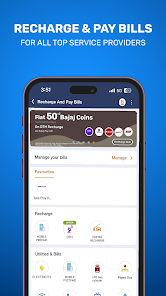
Paying utility bills online has become a convenient way to manage monthly household and service payments. Users can pay electricity bills, water bills, gas bills, broadband bills, mobile recharges, DTH payments, and other recurring dues through digital platforms without visiting payment counters.
However, online bill payment should still be done carefully. Users should check the biller name, consumer number, due date, bill amount, payment method, and transaction status before completing the payment. A simple mistake in bill details can lead to failed payments, delays, or incorrect transactions.
Digital Payment Habits After Introduction
Upi is one of the common methods used to pay utility bills online. It allows users to make direct bank payments quickly through a linked account. Before using upi for any bill, users should verify the biller, amount, and payment confirmation screen.
upi can make recurring payments easier, but users should avoid rushing through payment steps. Every transaction should be checked properly, especially when paying high-value bills or clearing overdue amounts. Safe digital payment habits can help users avoid payment errors and fraud risks.
What It Means To Pay Utility Bills Online
To pay utility bills online means using a digital platform to clear bills instead of paying in cash or visiting an offline office. The payment may be completed through a bill payment app, bank app, payment platform, or official biller website.
The user enters the required details, checks the bill amount, selects a payment method, and confirms the transaction. After successful payment, the platform usually provides a receipt or transaction reference number.
This process can save time and help users manage multiple bills from one place.
Common Utility Bills Paid Online
Many essential services can be paid online. The exact bill categories may depend on the platform and location.
Common utility bills include:
- Electricity bill
- Water bill
- Piped gas bill
- LPG booking payment
- Mobile recharge
- Broadband bill
- Landline bill
- DTH recharge
- FASTag recharge
- Municipal tax, where available
- Housing society maintenance, where supported
- Insurance premium, where listed
Users should always select the correct biller category before entering payment details.
How Online Utility Bill Payment Works
The online bill payment process is usually simple, but each step should be checked carefully.
Select The Bill Category
The user chooses the type of bill, such as electricity, gas, water, mobile, or broadband.
Enter Consumer Details
The user enters the consumer number, customer ID, mobile number, or account number.
Fetch Bill Amount
The platform may fetch the bill amount and due date from the biller.
Review Payment Details
The user checks the biller name, amount, due date, and customer details.
Choose Payment Method
The user selects a payment option such as bank transfer, card, net banking, wallet, or UPI.
Save Receipt
After payment, the user should save the receipt or transaction reference for future tracking.
Benefits Of Paying Utility Bills Online
Online bill payment can make monthly financial management easier when used responsibly.
Saves Time
Users can pay bills from home, office, or while travelling.
Easy Tracking
Payment history and receipts can be reviewed digitally.
Reduces Missed Due Dates
Many platforms allow reminders for upcoming bills.
Multiple Bills In One Place
Users can manage several bill categories through one platform.
Faster Confirmation
Successful payments usually generate digital confirmation.
Supports Better Budgeting
Regular payment history can help users understand monthly fixed expenses.
Safety Checks Before Paying Bills
Safety is important when paying bills online. Users should avoid unknown links or suspicious payment requests.
Important checks include:
- Use official apps or trusted platforms
- Verify biller name
- Check consumer number
- Confirm payable amount
- Avoid unknown payment links
- Do not share OTP or PIN
- Save transaction receipt
- Review bank alerts
- Check payment status
- Report suspicious activity quickly
A payment should be completed only after all details look correct.
What To Do If Payment Fails
Sometimes a bill payment may fail or remain pending. Users should not immediately pay again without checking status.
A safer process includes:
- Check transaction history
- Confirm whether money was debited
- Save transaction ID
- Wait for status update
- Contact platform support if needed
- Contact the biller if payment is not updated
- Avoid multiple repeated payments
- Keep bank debit message safely
If money is debited but the bill is not updated, the amount may be refunded or adjusted depending on the payment status.
How Online Bill Payments Help Budgeting
Utility bills are usually recurring expenses. Paying them online creates a digital record that can help users review monthly spending.
Users can track:
- Average electricity bill
- Mobile and broadband costs
- Gas usage
- Subscription payments
- Insurance premiums
- Recharge frequency
- Late payment charges
- Seasonal bill changes
By reviewing these records, users can identify areas where spending can be reduced.
Mistakes To Avoid While Paying Utility Bills Online
Users should avoid common mistakes that may create payment issues.
Entering Wrong Consumer Number
A wrong number can lead to failed payment or payment to another account.
Ignoring Due Dates
Late payment may result in penalties or service disruption.
Paying Through Unknown Links
Fake links may be used for fraud.
Not Saving Receipts
Receipts are useful if the payment is not updated.
Paying Twice Too Quickly
Users should check pending status before making another payment.
Not Reviewing Monthly Expenses
Bills should be reviewed to detect unusual increases.
Planning Bills Around Salary Dates
Paying bills soon after salary credit can help users avoid missed due dates. Fixed expenses should be separated from optional spending at the beginning of the month.
A simple monthly plan may include:
- List all regular bills
- Note due dates
- Keep bill money separate
- Set reminders
- Pay high-priority bills first
- Save receipts
- Track failed payments
- Review monthly spending
- Keep emergency balance
- Avoid unnecessary subscriptions
This habit can reduce last-minute payment stress.
Borrowing Check Before Extra Expenses
A loan calculator can help users estimate EMI before taking any loan for household needs, emergency costs, or large purchases. Since utility bills already form part of fixed monthly expenses, borrowers should check whether a new EMI will fit within their budget.
A loan calculator usually asks for loan amount, interest rate, and tenure to estimate monthly repayment. Using a loan calculator before borrowing can help users compare repayment options and avoid taking a loan that affects regular bill payments.
Conclusion
Paying utility bills online can save time, improve tracking, and make monthly payments more convenient. It helps users manage electricity, water, gas, mobile, broadband, and other recurring bills from a digital platform.
To use online bill payments safely, users should verify biller details, check the amount, protect payment credentials, save receipts, and review transaction status. A disciplined approach can help users pay bills on time and manage monthly expenses with better control.